See Your Ideas in 3D.
Think Beyond the Screen.
Discover a new way to explore complex ideas with the VYNET 3D Hologram Table. Bring architectural designs, engineering models, digital twins, geospatial data and interactive 3D presentations into a shared visual environment designed for collaboration and discovery.
Transform the way your team presents, plans, analyses and communicates complex information.
What Is a 3D Hologram Table?
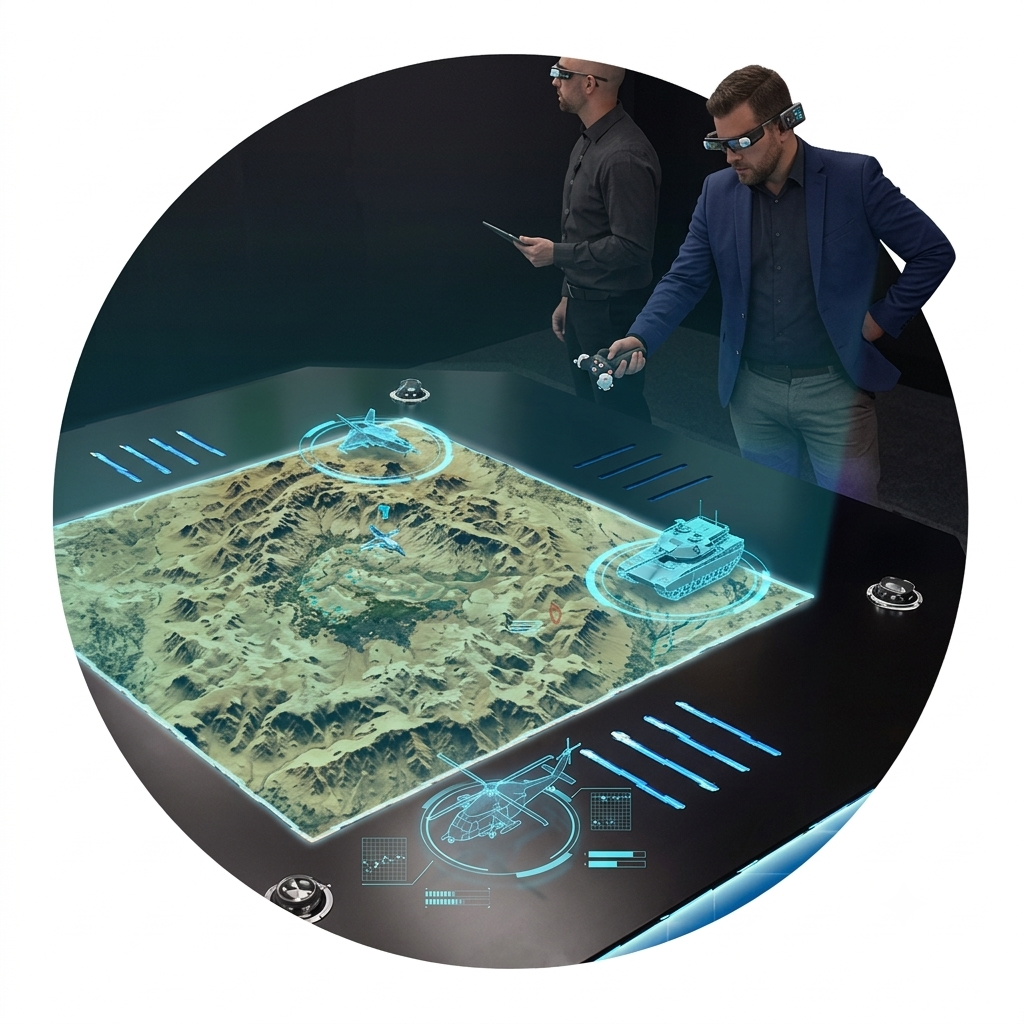
A 3D hologram table is a specialised visualisation system that presents three-dimensional content in a shared tabletop environment. Depending on the selected display technology, compatible glasses, tracking equipment and software can enable users to explore spatial models and interact with digital information from different viewing positions.
Unlike a conventional flat-screen presentation, an immersive 3D visualisation table is designed to make complex information easier to explore together. Teams can discuss spatial relationships, examine design details and communicate ideas in a more engaging way.
VYNET AUTOMATION PVT LTD helps organisations evaluate, design and integrate immersive visualisation solutions around their intended applications, site conditions and technical requirements.
More Than a Presentation Display
Make complex information more engaging with a visualisation environment that supports discussion, discovery and collaborative decision-making.
Explore Detailed 3D Models
Present architectural concepts, product designs, infrastructure layouts and engineering models in a spatial format suited to design reviews and technical discussions.
Make Data More Engaging
Where supported by the selected system, use compatible controls and tracking to navigate, inspect, rotate or manipulate digital content during a presentation.
Bring People Around One Idea
Encourage shared discussion between decision-makers, designers, clients, educators and technical teams using a common visual reference.
Understand Spatial Relationships
Explore terrain, building layouts, equipment arrangements and other spatial information in a visual environment designed for closer inspection.
Create Memorable Demonstrations
Give customers, partners and stakeholders a more engaging way to experience complex projects, products and future concepts.
Connect Content and Technology
Assess compatible software, computing, display, audio and control requirements to build a solution aligned with your organisation’s workflow.
Where Can a Hologram Table Be Used?
From executive boardrooms to specialist visualisation environments, interactive 3D displays can support a wide range of professional use cases.
Architecture & Real Estate
Present building models, master plans, site layouts, floor plans and property development concepts.
Engineering & Manufacturing
Review CAD models, product assemblies, equipment layouts and complex engineering concepts.
Defence & Strategic Planning
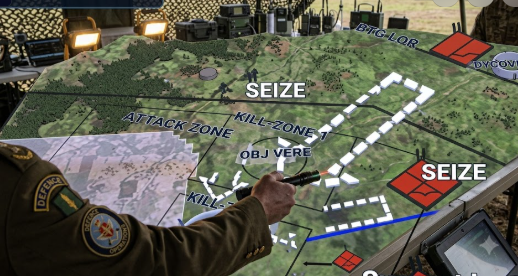
Explore terrain models, mission-planning concepts and spatial information in suitable controlled environments.
Education & Research
Support visual learning, scientific exploration, technical demonstrations and interactive teaching.
Museums & Visitor Experiences
Develop engaging exhibits that help visitors explore objects, locations, systems and stories.
Mining & Geospatial Data
Visualise compatible terrain models, geological information, survey data and point-cloud datasets.
Corporate Boardrooms
Bring product demonstrations, business concepts and complex project information into executive presentations.
Experience Centres & Events
Create distinctive demonstrations for customers, partners, product launches and innovation showcases.
Bring Your Existing 3D Content to Life
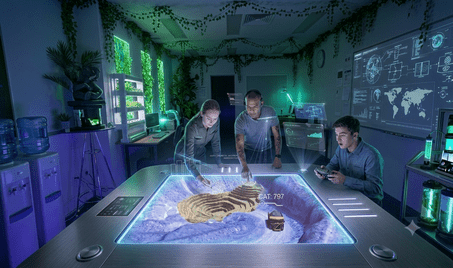
A hologram table is most valuable when it supports the content your team already uses. Depending on the platform and its supported workflow, projects can be developed around:
- CAD and engineering models
- Architectural and building information models
- 3D scans, point clouds and surveyed environments
- Terrain, city-scale and geospatial models
- Digital twins and simulated environments
- Custom interactive content and visual demonstrations
File compatibility, model optimisation, data conversion and interactive functionality must be confirmed against the selected hardware and software before deployment.
A Better Way to Communicate Complexity
More Intuitive Presentations
Use visual and spatial context to explain complicated structures, layouts and concepts to stakeholders.
Shared Decision-Making
Give participants a common model to discuss during planning, design reviews and project presentations.
Stronger Customer Engagement
Present projects and products in a distinctive format for showrooms, innovation centres and client meetings.
Spatial Awareness
Explore relationships between objects, surfaces, terrain and structures using suitable 3D visualisation tools.
Flexible Content Possibilities
Evaluate whether existing models or purpose-built interactive content can be used for your application.
Professional Integration
Plan the display, computing, controls, networking and room environment as part of a coordinated installation.
Hologram Table Technical Specifications
Final dimensions, supported viewing positions, interaction equipment and software depend on the selected configuration. The following checklist can be used to define your project requirements.
| System Type | Interactive 3D holographic or immersive tabletop visualisation system. |
|---|---|
| Table Dimensions | To be confirmed for the selected model and installation layout. |
| Display Area | Based on the selected visualisation technology and table configuration. |
| Viewing Capacity | Dependent on supported viewing positions, tracking technology and viewing accessories. |
| Interaction | Compatible tracked controls, touch controls or other supported input devices, depending on configuration. |
| 3D Content | Compatible CAD, architectural, geospatial, point-cloud or custom 3D content, subject to platform support. |
| Software | Selected platform’s presentation, content viewing and authoring tools. Third-party integrations require compatibility verification. |
| Audio | Integrated or external audio options, depending on the selected configuration. |
| Audience Display | Optional external display or mirrored audience view, subject to system capabilities. |
| Installation | Site assessment, power and space planning, equipment integration, configuration and user orientation as agreed. |
| Custom Integration | Evaluated according to content formats, application requirements, software interfaces and available APIs. |
Note: These are project-planning specifications, not a claim that every feature is included in every system. Request the selected product’s confirmed datasheet for exact dimensions, viewing capacity, hardware, software, accessories and warranty.
Software, Models and System Integration
The right software configuration depends on what you need to visualise, how you create your models and whether the system must connect to an existing workflow.
3D Content Preparation
Review model formats, polygon complexity, texture requirements, data size and conversion workflows before loading content onto the system.
Real-Time Visualisation
Where supported by the selected platform, assess real-time rendering engines and interactive environments for specialised applications.
Geospatial & Point-Cloud Data
Evaluate the tools required to import, process and navigate terrain, survey, scan and other spatial datasets.
Custom Applications
For specialised workflows, review available APIs, software development options and integration requirements with the system provider.
Software names and integrations are provided as compatibility areas to evaluate, not as a guarantee of native support. VYNET can help define the technical requirements before the final system is selected.
A Structured Approach to Your Hologram Project
Successful immersive visualisation starts with a clear understanding of your objectives, content and installation environment.
- Consultation: Define the use case, audience and desired experience.
- Site Assessment: Review floor space, access, power, lighting and room conditions.
- Technology Selection: Match the proposed display configuration to your requirements.
- Content Planning: Evaluate existing 3D assets and any custom development needs.
- Integration: Coordinate installation and system configuration according to the agreed scope.
- Handover: Provide user orientation and support arrangements as agreed for the project.
Hologram Table FAQs
Answers to common questions about interactive 3D visualisation tables and planning a project with VYNET.
What is a 3D hologram table used for?
It is used to present and explore three-dimensional digital content in an immersive tabletop environment. Applications can include architectural reviews, engineering design, education, geospatial analysis, product demonstrations and interactive presentations.
How many people can use a hologram table at once?
Capacity varies by display technology, viewing system and interaction hardware. Some configurations support multiple active users and additional observers. Ask VYNET to confirm the number of simultaneous interactive users and spectators for the proposed model.
What type of content can be displayed?
Depending on software compatibility, content may include CAD models, architectural designs, 3D scans, point clouds, terrain, digital twins and custom 3D applications. Supported file formats and processing requirements should be verified before purchase.
Can we use our existing CAD or architectural models?
Potentially, yes. The model format, complexity, textures and software pipeline need to be checked. Conversion or optimisation may be required for smooth performance.
Does a hologram table require a dark room?
Ambient-light performance depends on the display technology and installation. Room lighting should be evaluated against the selected system’s specifications before finalising the location.
Is this the same as a VR headset?
No. A hologram table is a tabletop visualisation experience, while a virtual reality headset creates an immersive view through a wearable display. Viewing methods, collaboration and interaction differ by system.
Can the system display live data or a digital twin?
That may be possible when the chosen platform supports the required data formats, integrations or APIs. Live data connections and digital-twin workflows should be scoped and tested as part of the project.
Can the table be installed in a boardroom, classroom or experience centre?
These are potential installation environments. Suitability depends on the table footprint, room layout, access, power, ambient light, audience needs and operational requirements.
How much does a hologram table cost in India?
Pricing depends on the selected hardware, display dimensions, interaction accessories, software licences, content development, shipping, installation and support requirements. Contact VYNET for a project-specific quotation.
Does VYNET provide installation and support?
VYNET can discuss project consultation, system integration, installation coordination, configuration and user training according to the agreed scope and selected manufacturer’s requirements.
Can the hologram table be customised for a specific industry?
Applications can be planned around industry-specific models, data and workflows. Custom content, software development and external integrations depend on technical feasibility and the capabilities of the selected platform.
Ready to Explore 3D Holographic Visualisation?
Tell us about your organisation, intended application, available space and the type of 3D content you want to display. Our team can help you identify the next steps for your hologram table project.
VYNET AUTOMATION PVT LTD
#126, 2nd Floor, 1st Main Road, Domlur 2nd Stage, Bengaluru – 560071
Solutions Beyond Limit · Immersive Technology · Intelligent Spaces
